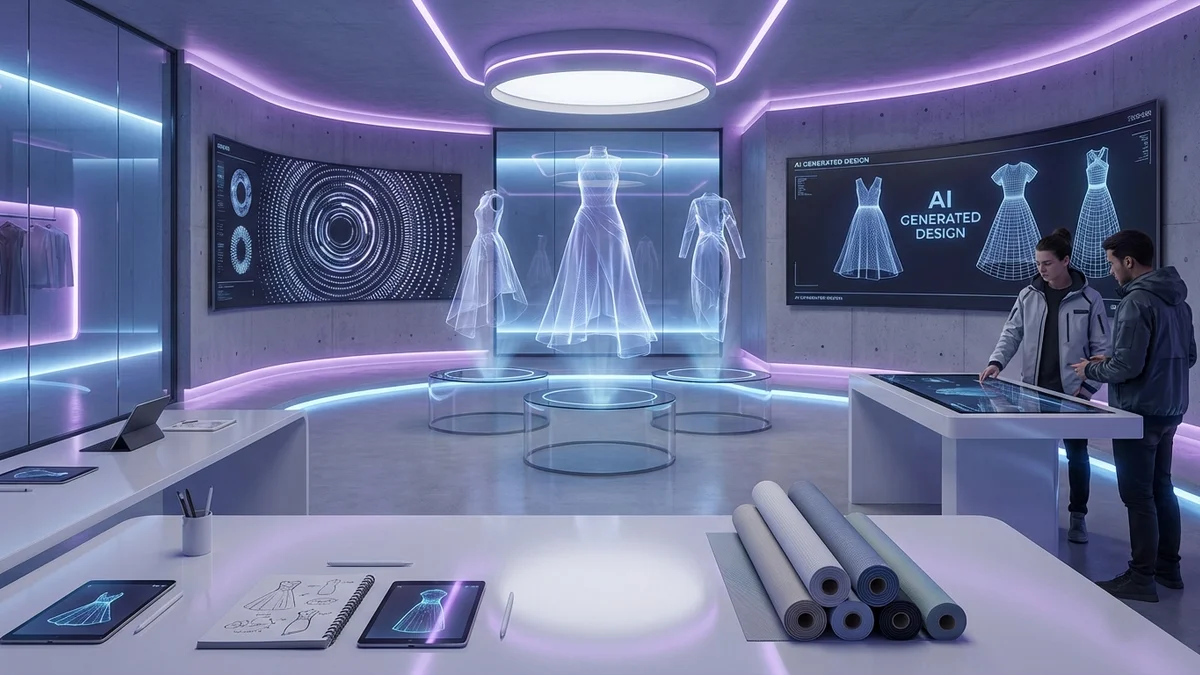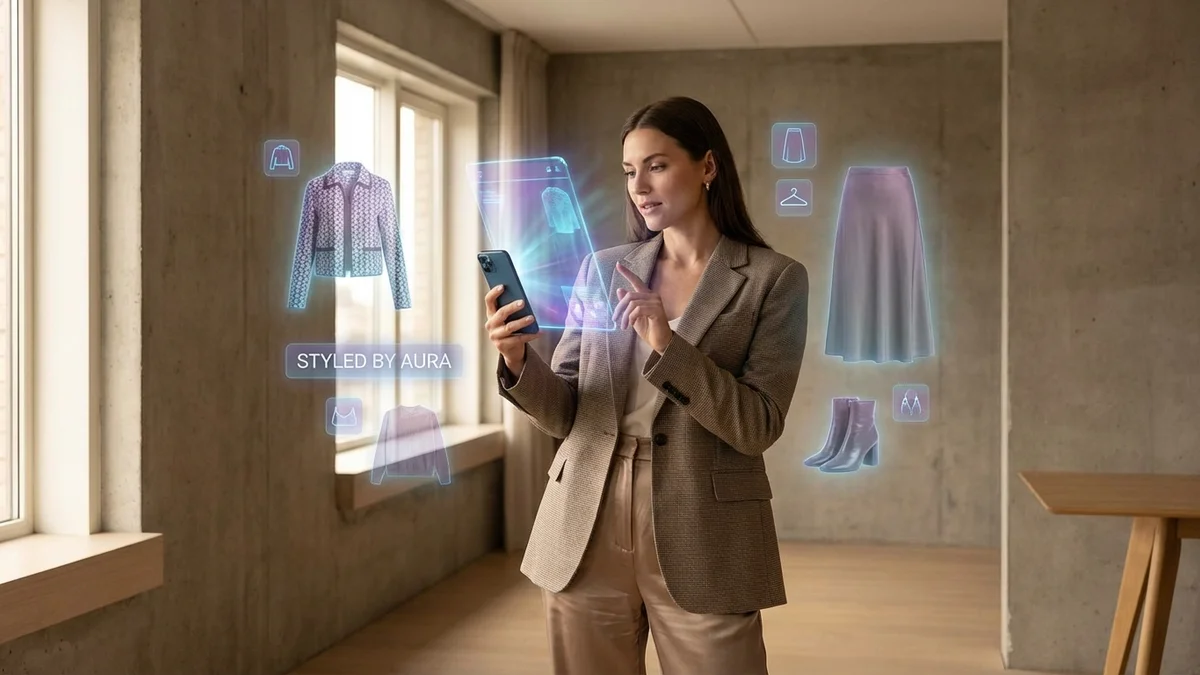
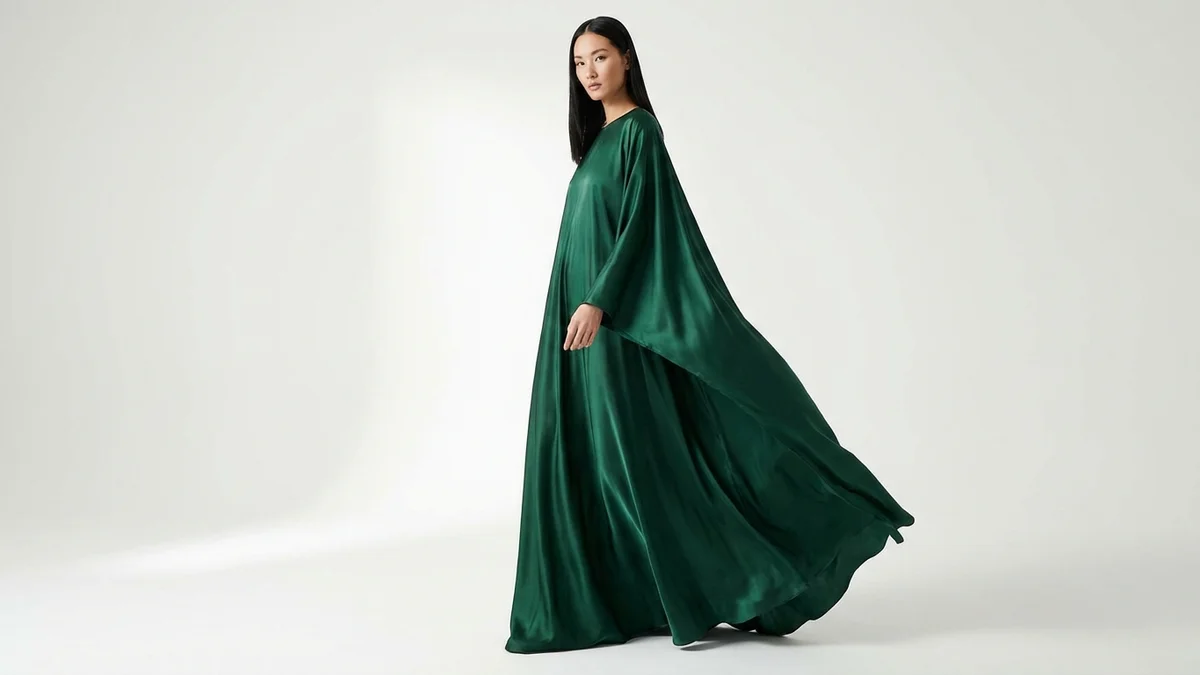
Realistic clothes in the AI era mean one thing: virtual garments that look indistinguishable from real photographs. Whether you see them in a virtual try-on preview, an e-commerce product page, or a social media post, the clothes appear to have real fabric texture, natural shadows, and proper body fit.
The technology making this possible has exploded. The virtual try-on market reached $15.18 billion in 2025 and is projected to hit $48.10 billion by 2030. Generative AI, diffusion models, and advanced computer vision now produce clothing visualizations that fool even professional photographers.
This guide explains how AI creates realistic clothes, compares the best tools for photorealistic results, and gives you practical tips to get the most lifelike clothing visualization every time.
TL;DR
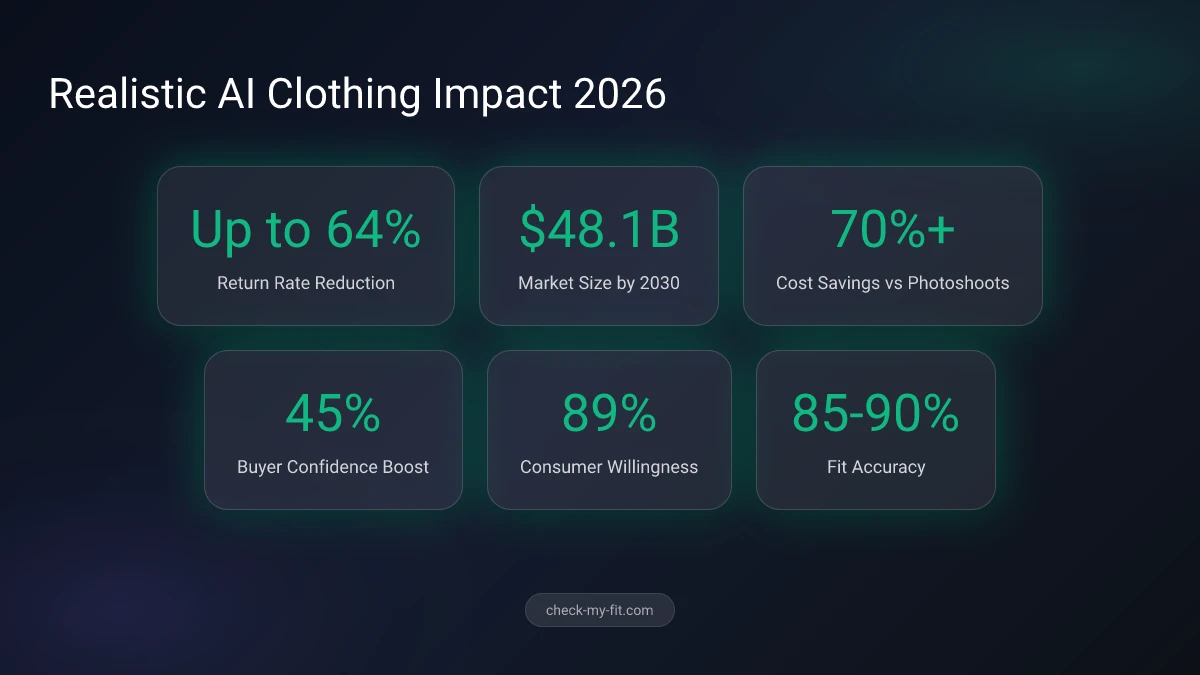
Realistic clothes in AI fashion use generative AI and computer vision to create photorealistic garment visualizations. The best tools in 2026 include CheckMyFit, Fashn.AI, and Fotor. For the most realistic results, use well-lit photos with clean backgrounds. This technology reduces fashion return rates by up to 64% and boosts buyer confidence by 45%.
What Are Realistic Clothes in AI Fashion?
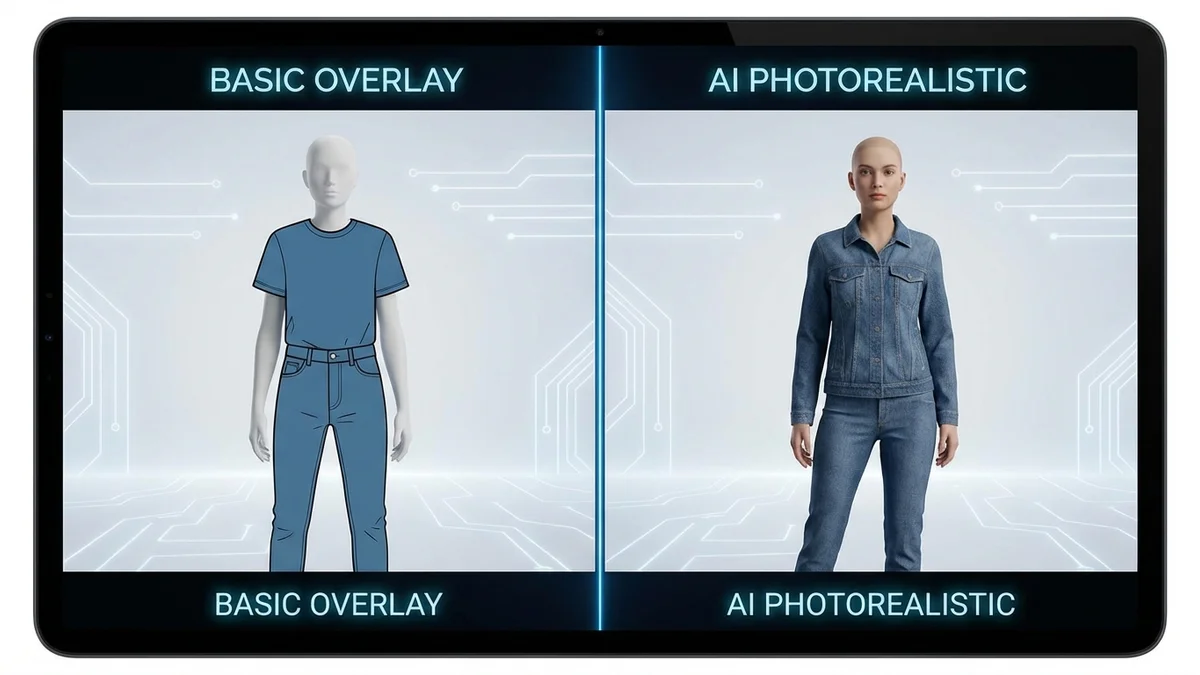
Realistic clothes in AI fashion refers to digitally generated or modified clothing images that accurately replicate how real garments look, feel, and drape on a human body. These visualizations capture fabric texture, color accuracy, realistic shadows, and natural body fit.
The concept spans several applications. Virtual try-on tools overlay garments onto your photo with convincing realism. AI fashion model generators place clothes on digital humans. E-commerce product visualization shows how items look from multiple angles. Each application requires the same core capability: making digital clothes look genuinely real.
What separates realistic clothing from basic photo editing is the level of detail. Real fabric behaves in complex ways. Silk catches light differently than denim. Cotton wrinkles at stress points. Linen drapes loosely while spandex hugs curves. Modern AI understands these differences.
89% of consumers have used or would like to use virtual try-on technology for fashion purchases.
Key Takeaway: Realistic clothes in AI fashion means digitally generated garments that accurately replicate real fabric behavior, lighting, and body fit.
Realistic Clothes vs Basic Clothing Overlays
| Feature | Basic Overlay | Realistic AI Clothing |
|---|---|---|
| Fabric texture | Flat, uniform appearance | Detailed weave and material patterns |
| Body adaptation | Static, same for all | Adjusts to body shape and pose |
| Shadow rendering | None or artificial | Natural lighting and shadow |
| Wrinkle simulation | None | Realistic creases at bend points |
| Color accuracy | Often washed out | True-to-garment color reproduction |
| Edge blending | Visible cutout edges | Seamless integration with body |
| Processing time | Instant (simple paste) | 10-30 seconds (AI generation) |
How Does AI Create Realistic Clothing Images?
AI creates realistic clothing images through a multi-stage process that combines body detection, garment analysis, and generative image synthesis. Instead of cutting and pasting, modern systems generate every pixel of the final image from scratch using diffusion models and neural networks.
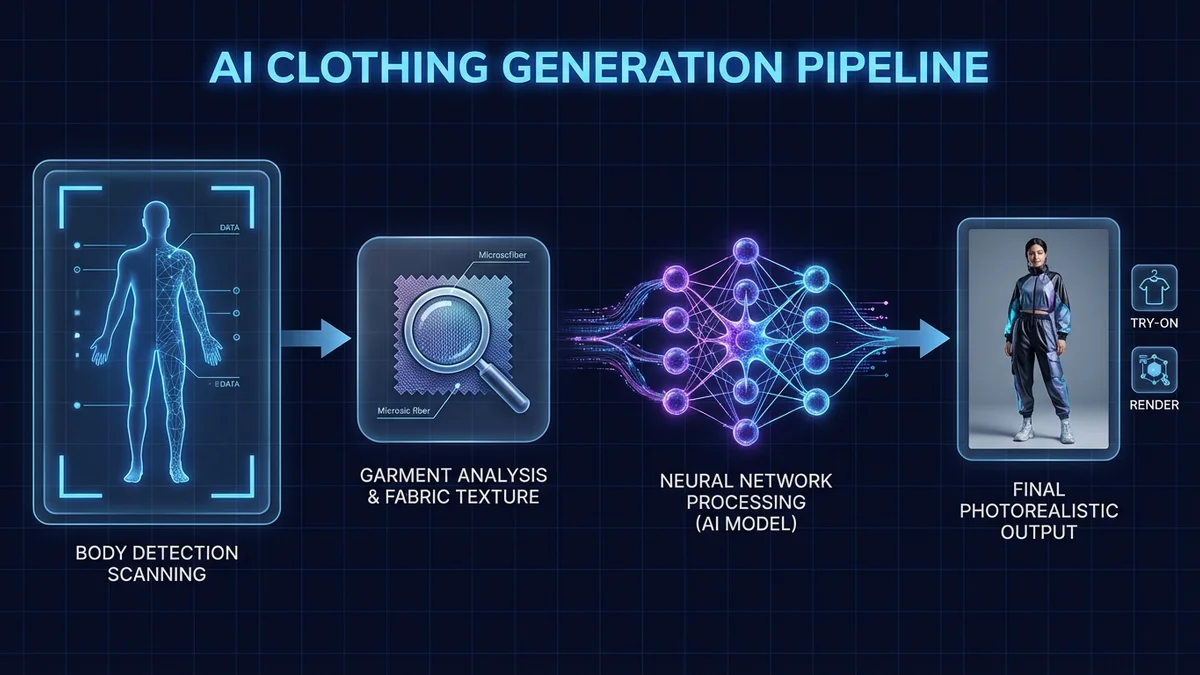
Step 1: Body Detection and Pose Estimation
The AI scans your photo and identifies body landmarks. Shoulders, waist, hips, arms, and legs are mapped using a skeletal model. This creates a precise understanding of your pose, body proportions, and the space where clothing needs to appear.
Step 2: Garment Segmentation and Analysis
The system analyzes the clothing image separately. It identifies the garment type, fabric pattern, color, and material properties. Advanced models understand how silk drapes differently than cotton, and how a fitted blazer should look compared to an oversized hoodie.
Step 3: Generative Image Synthesis
A diffusion-based AI model combines both inputs. It renders the garment onto your body with realistic wrinkles, shadows, and lighting that match your original photo. The model uses cross-attention mechanisms to share information between the body and garment data.
Step 4: Refinement and Detail Enhancement
Post-processing sharpens fabric textures, corrects color balance, and ensures seamless edge blending. The AI checks for artifacts like floating edges or unnatural proportions and corrects them automatically.
| Technology | Role in Realistic Clothing | Key Innovation |
|---|---|---|
| Diffusion models | Generate photorealistic images from noise | Pixel-level realism |
| GANs | Create texture and style variations | High-fidelity fabric rendering |
| Computer vision | Detect body pose and garment boundaries | Accurate body mapping |
| Semantic segmentation | Separate body parts and clothing regions | Precise garment placement |
| Neural rendering | Combine lighting and material properties | Natural shadow and reflection |
Virtual try-on technology reduces fashion return rates by up to 64% and boosts buyer confidence by 45%.
Key Takeaway: Realistic AI clothing generation involves four stages: body detection, garment analysis, generative synthesis, and detail refinement. The entire process takes 10 to 30 seconds.
What Makes Virtual Try-On Clothes Look Realistic?
Several technical factors determine whether AI-generated clothes look realistic or obviously fake. Understanding these factors helps you choose better tools and get better results.
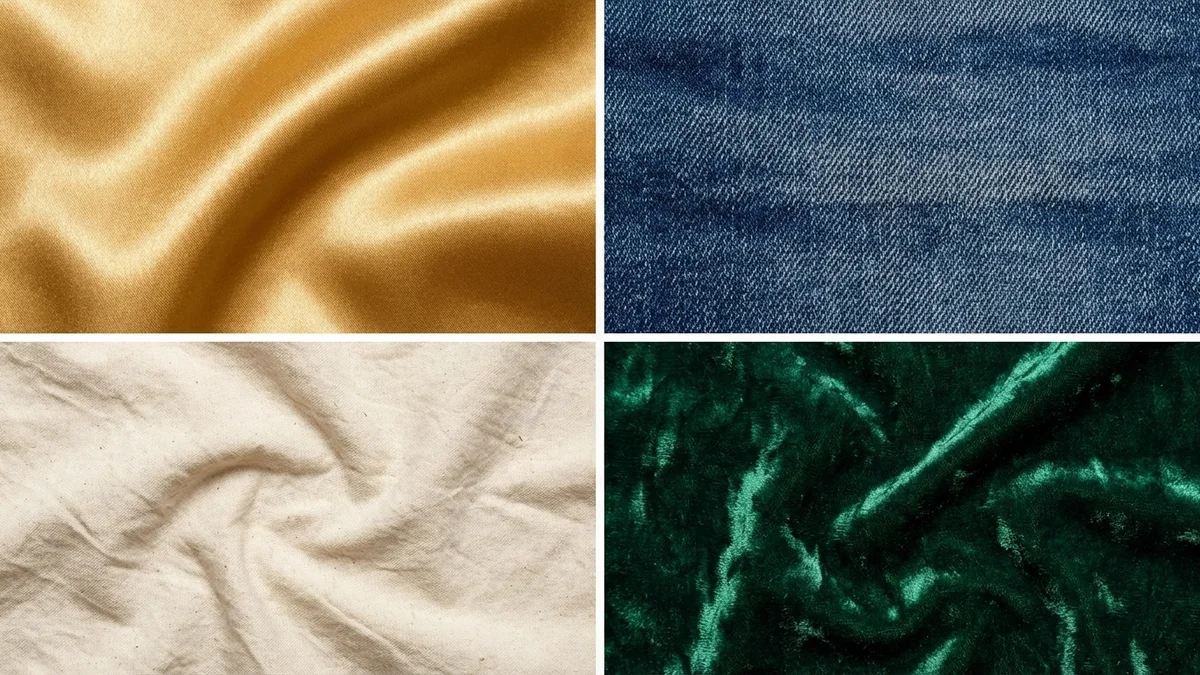
Fabric Texture Rendering
The most important factor for realistic clothing is accurate fabric texture. Modern AI captures the distinctive features of each material. The subtle sheen of silk, the rough weave of denim, the soft nap of velvet, and the stretchy smoothness of spandex all require different rendering approaches.
Tools like CheckMyFit excel at fabric-level detail because their models are trained specifically on fashion imagery. General-purpose AI image generators often produce clothes that look "painted on" rather than physically present.
Body Shape Adaptation
Realistic clothes must respond to the body underneath them. Tight garments should follow curves. Loose garments should drape naturally. The AI needs to understand how different body types interact with different cuts and sizes.
Lighting Consistency
The AI must match the lighting of the garment to the lighting in your photo. If your photo has warm afternoon light, the generated clothing should reflect that same warmth. Mismatched lighting is one of the most common giveaways of AI-generated fashion images.
Pose-Aware Draping
How fabric falls changes with every pose. Raised arms create different wrinkle patterns than arms at your sides. Sitting versus standing changes how pants bunch and fold. The best AI models are trained on millions of pose-garment pairs to handle these variations accurately.
| Realism Factor | Impact Level | Common Failure Mode |
|---|---|---|
| Fabric texture | Critical | Smooth, plastic-looking fabric |
| Body fit | High | Clothes floating above body |
| Lighting match | High | Flat or mismatched illumination |
| Wrinkle patterns | Medium | No creases or unnatural folds |
| Edge blending | Medium | Visible cutout lines around garments |
| Color accuracy | Medium | Oversaturated or washed-out colors |
| Shadow rendering | Medium | Missing cast shadows |
Best Tools for Realistic Clothing Visualization in 2026
Not all AI fashion tools deliver equally realistic results. Here is a comparison of the top platforms based on output quality, fabric rendering accuracy, and ease of use.
| Tool | Best For | Realism Rating | Price | Key Feature |
|---|---|---|---|---|
| CheckMyFit | Personal virtual try-on | 9/10 | Free | Real fabric texture rendering |
| Fashn.AI | E-commerce product photos | 9/10 | Freemium | Segmentation-free VTON model |
| Fotor | Quick outfit swaps | 8/10 | Free tier | Under 5 seconds generation |
| PicCopilot | Brand product imagery | 8/10 | Freemium | Multi-body-type support |
| Style3D | Professional 3D fashion design | 9/10 | Paid | CLO 3D-level fabric simulation |
| PhotoRoom | Product photography | 8/10 | Freemium | Background removal + try-on |
| Kling AI | Creative fashion content | 8/10 | Free tier | Video virtual try-on |
How to Choose the Right Tool
Your choice depends on what you need realistic clothes for.
For personal shopping: Use CheckMyFit or Fotor. Upload your photo, select a garment, and see how it looks on you before buying. The focus is on accurate fit and fabric visualization on your specific body.
For e-commerce brands: Fashn.AI and PicCopilot excel at generating product photography with realistic clothing on AI models. These tools help brands create diverse on-model imagery without expensive photo shoots.
For fashion design: Style3D and CLO 3D offer professional-grade fabric simulation that designers at Adidas, Levi's, and Hugo Boss rely on for realistic garment prototyping.
Key Takeaway: For personal use, CheckMyFit delivers the most realistic virtual try-on experience. For business use, Fashn.AI leads in e-commerce product visualization.
How to Get the Most Realistic Results from AI Clothing Tools
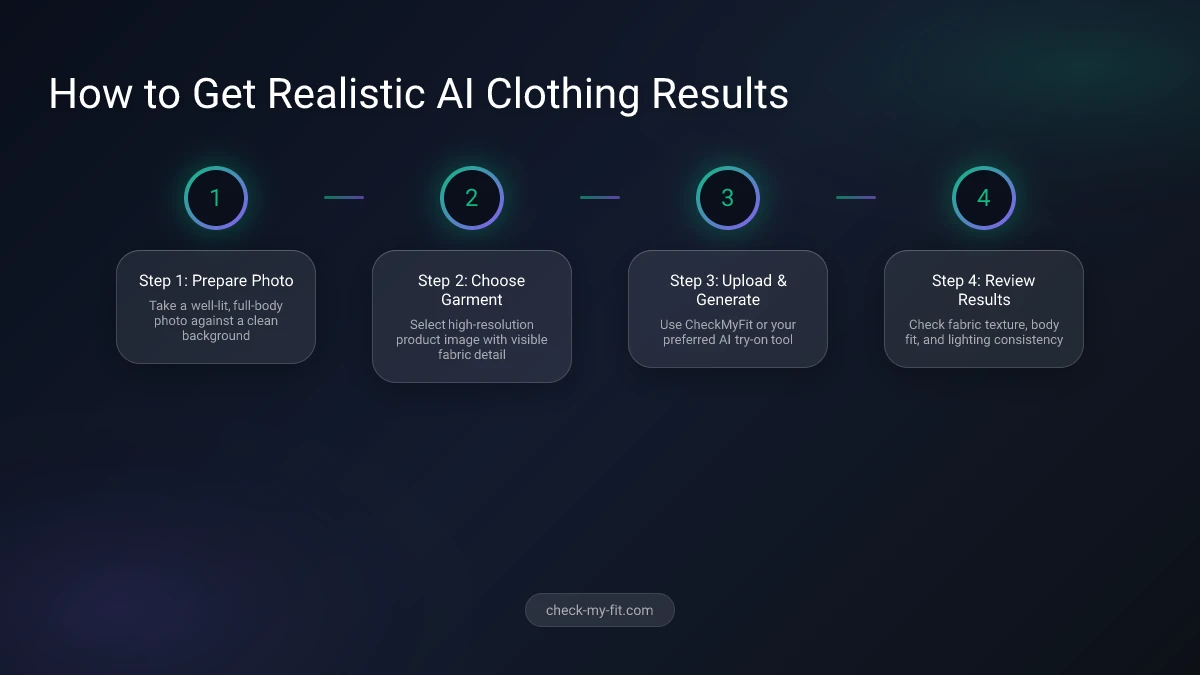
Getting photorealistic output from AI clothing tools requires good input. Follow these practical tips for the most convincing results.
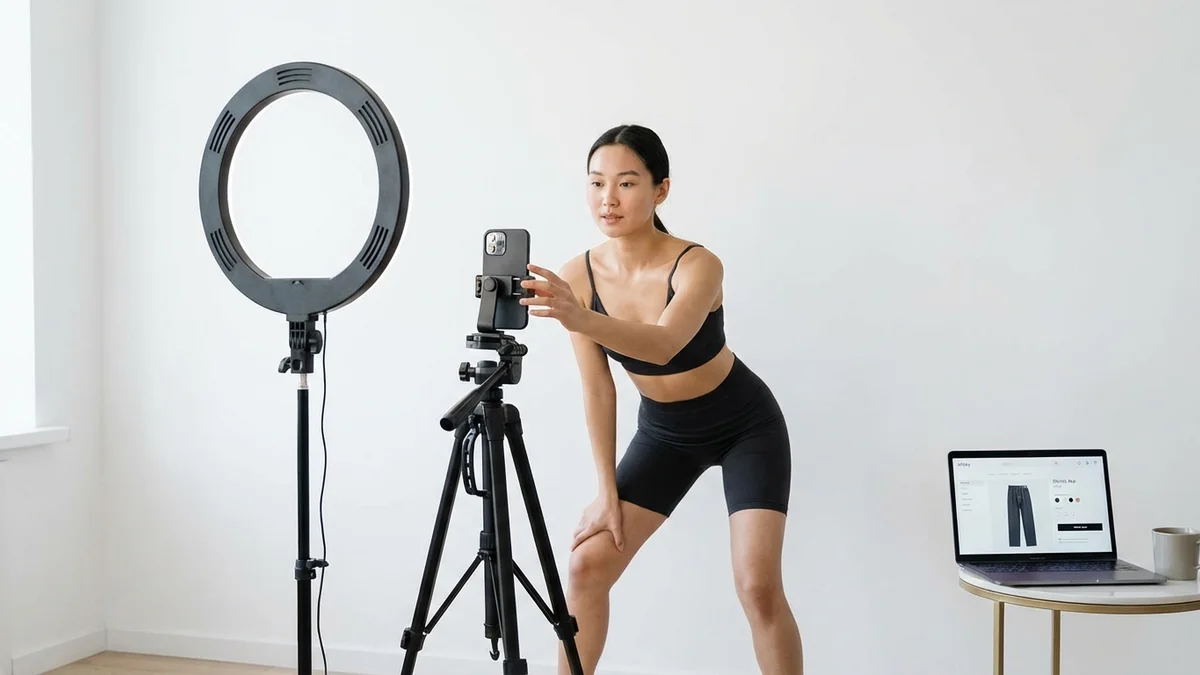
Photo Quality Requirements
Your photo determines 80% of the output quality. Follow these rules:
- Use good, even lighting. Natural daylight works best. Avoid harsh shadows or mixed color temperatures.
- Show your full body. The AI needs to see your complete figure for accurate garment placement.
- Stand against a clean background. Solid colors or simple backgrounds help the AI separate you from the environment.
- Face the camera directly. Front-facing or slight angles produce the most realistic try-on results.
- Wear fitted base clothing. Tight-fitting clothes underneath give the AI a clearer body outline to work with.
Garment Image Best Practices
The clothing reference image matters equally.
- Use high-resolution product photos where the garment is fully visible
- Flat-lay images on white backgrounds work best
- Avoid heavily styled or folded garment photos
- Ghost mannequin images produce excellent results
- Ensure the image shows true color without heavy filters
Common Mistakes That Kill Realism
| Mistake | Why It Fails | Fix |
|---|---|---|
| Low-resolution input | AI cannot generate detail from blurry source | Use minimum 1080p photos |
| Busy backgrounds | AI struggles to separate body from scene | Use plain wall or backdrop |
| Extreme poses | Limited training data for unusual positions | Stand naturally, arms relaxed |
| Heavy photo filters | AI generates incorrect colors and lighting | Use unedited photos |
| Cropped body parts | AI fills in missing areas with artifacts | Ensure full body visibility |
Fashion brands using AI virtual try-on report over 70% cost savings compared to traditional model photoshoots.
Realistic Clothes Technology for Fashion Businesses
Realistic clothing visualization is not just a consumer tool. Fashion brands and e-commerce platforms are investing heavily in this technology to reduce returns, lower costs, and improve the shopping experience.
E-Commerce Product Photography
Brands like Zalando are rolling out virtual try-on for all customers in 2026. AI-generated product imagery lets brands show clothing on diverse body types without hiring multiple models. One garment photo can be rendered on hundreds of different virtual models in minutes.
Return Rate Reduction
Poor fit drives 70% of fashion returns. Realistic clothing visualization directly addresses this problem. When customers see how clothes actually look on their body shape, they make better purchasing decisions.
| Metric | Without Virtual Try-On | With Virtual Try-On |
|---|---|---|
| Return rate | 30-40% | 10-15% |
| Purchase confidence | 55% | 80%+ |
| Time to purchase | 5-7 sessions | 1-2 sessions |
| Customer satisfaction | 65% | 85%+ |
| Cost per product image | $50-200 | $1-5 |
Virtual Fitting Rooms
Retailers are integrating realistic virtual fitting room technology into their online stores. Customers upload their photo once and try on the entire catalog. This creates an in-store experience from home, driving both conversions and loyalty.
71% of shoppers say they would shop more frequently at stores offering AR-powered virtual try-on experiences.
Key Takeaway: Realistic AI clothing technology reduces returns by up to 64%, cuts product photography costs by over 70%, and increases purchase confidence by 45%.
How CheckMyFit Delivers Realistic Clothing Results
CheckMyFit is purpose-built for realistic virtual try-on. Unlike general-purpose AI image editors, CheckMyFit focuses specifically on clothing visualization accuracy.
The platform uses fashion-trained AI models that understand fabric behavior at a material level. When you try on a silk blouse, you see the characteristic sheen and drape of silk. A denim jacket shows the rigid structure and fading patterns of real denim.
How to use CheckMyFit for realistic results:
- Visit check-my-fit.com
- Upload a clear, well-lit photo of yourself
- Choose a garment you want to try on
- The AI generates a photorealistic preview in seconds
- Compare different styles, colors, and sizes before buying
CheckMyFit works with all body types and handles diverse poses. The output preserves your original photo's lighting and background while placing the garment naturally on your body.
Recommended Products for Realistic Clothing Photos
Taking the best input photos improves your AI clothing visualization results dramatically. These tools help you capture the perfect base image.
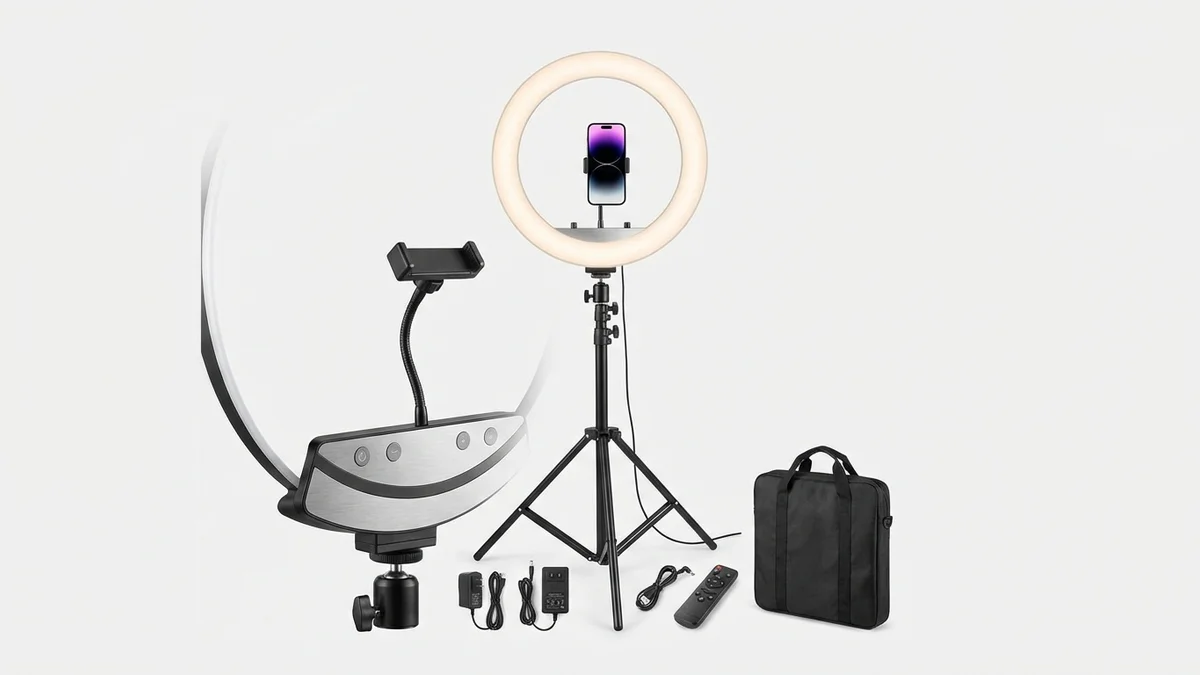
Even, shadow-free lighting is essential for realistic AI clothing results. This ring light provides consistent illumination that helps AI accurately detect your body and render garments naturally.
View on Amazon →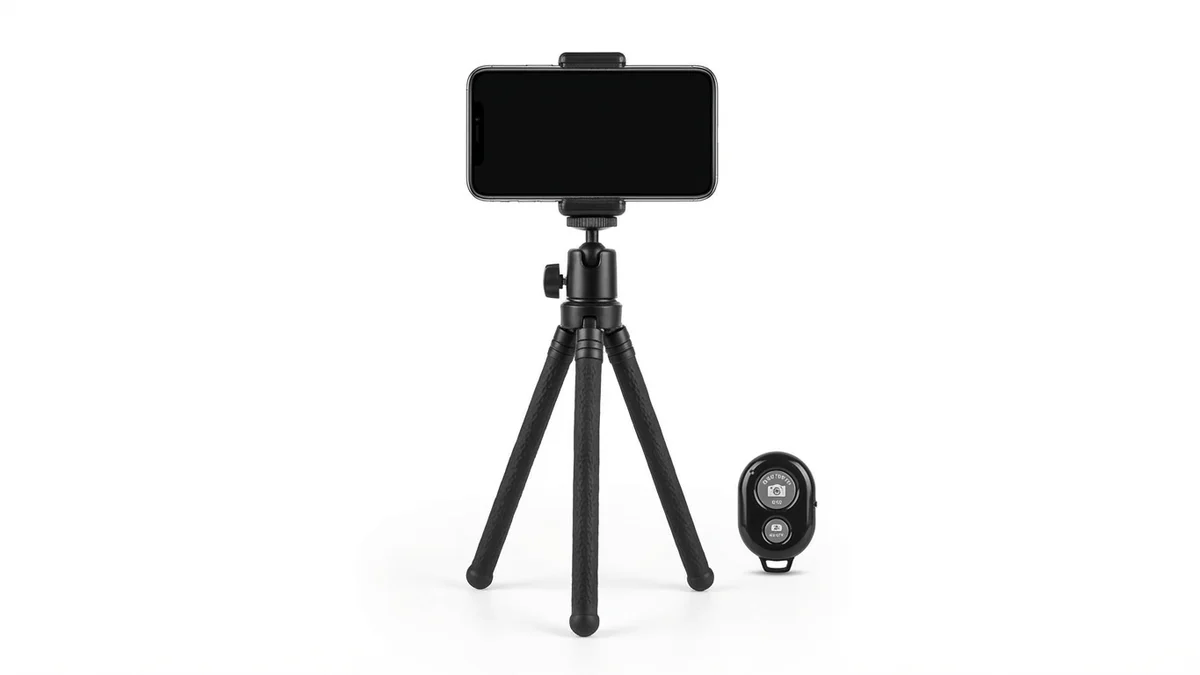
Stable full-body photos produce the most realistic virtual try-on results. This adjustable tripod holds your phone steady at the right height, with a Bluetooth remote for hands-free shooting.
View on Amazon →
Compare your AI-generated outfit previews with reality. A full-length mirror helps you assess fit and proportion alongside your virtual try-on results for the most accurate shopping decisions.
View on Amazon →Frequently Asked Questions
Can AI Clothes Look as Realistic as Real Photos?
Yes. Modern AI clothing visualization achieves photorealistic quality that is often indistinguishable from actual photographs. Diffusion-based models generate garments pixel by pixel, producing accurate fabric textures, natural shadows, and realistic body fit. The best tools in 2026 produce output that professional photographers cannot reliably distinguish from real photos.
What Image Format Works Best for Realistic Virtual Try-On?
High-resolution JPEG or PNG images work best. Use photos with at least 1080x1920 pixel resolution. WebP format is also supported by most platforms. Avoid heavily compressed images or screenshots, as compression artifacts reduce the AI's ability to generate realistic clothing detail.
How Accurate Is AI Clothing Fit Prediction?
AI clothing fit prediction has reached approximately 85-90% accuracy for standard garments like t-shirts, dresses, and pants. Accuracy decreases with complex layered outfits or unusual body poses. The technology continues to improve as models are trained on larger and more diverse datasets.
Do Realistic AI Clothes Work with All Body Types?
Yes. Leading platforms like CheckMyFit and Fashn.AI train their models on diverse body types including petite, plus-size, tall, and athletic builds. The AI adapts garment draping, sizing, and proportions to match each individual body shape. Representation in training data has improved significantly since 2024.
What Is the Best Free Tool for Realistic Clothes Visualization?
CheckMyFit offers free virtual try-on with realistic clothing rendering. Fotor provides a free tier with basic outfit visualization. Kling AI offers free credits for virtual try-on. For e-commerce use, Fashn.AI provides a free tier with limited generations. Quality varies between free tiers, so test multiple tools to find the best fit for your needs.
How Do Fashion Brands Use Realistic AI Clothing?
Fashion brands use realistic AI clothing for product photography, catalog generation, virtual fitting rooms, and marketing campaigns. Brands create on-model imagery for hundreds of products without physical photoshoots, reducing costs by over 70%. Zalando, ASOS, and numerous Shopify stores now integrate AI clothing visualization directly into their shopping experience.
Can I Use AI-Generated Realistic Clothing Images Commercially?
Most AI fashion tools allow commercial use of generated images. Check each platform's terms of service for specific licensing details. Tools like Fotor explicitly offer royalty-free output for commercial purposes. For e-commerce product listings, ensure you have rights to the original garment photos used as input.
What Resolution Do I Need for Realistic AI Clothing Results?
Minimum recommended resolution is 1080x1920 pixels for full-body virtual try-on. Higher resolution input produces better output. Some tools like Fotor generate results up to 4K resolution. For e-commerce product photography, aim for 2000x3000 pixels or higher to ensure garment details remain sharp at zoom levels.
Conclusion
Realistic clothes visualization has moved from science fiction to everyday reality. AI-powered tools now generate clothing images that capture true fabric texture, natural body fit, and accurate lighting in seconds. The technology reduces fashion returns, saves brands millions in photography costs, and helps shoppers make confident purchase decisions.
The tools are accessible and mostly free. Whether you want to try on clothes virtually before buying or create professional product imagery for your brand, realistic AI clothing technology delivers results that were impossible just two years ago.
Ready to see how clothes really look on you? Try CheckMyFit free and experience the most realistic virtual try-on available in 2026.