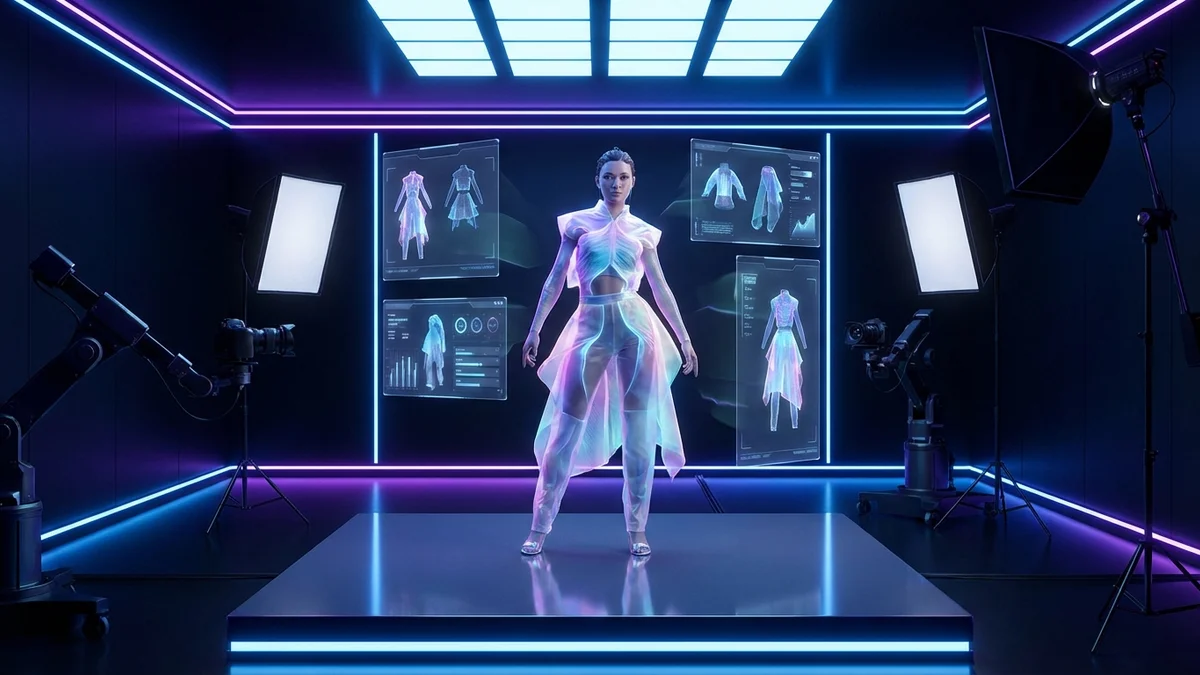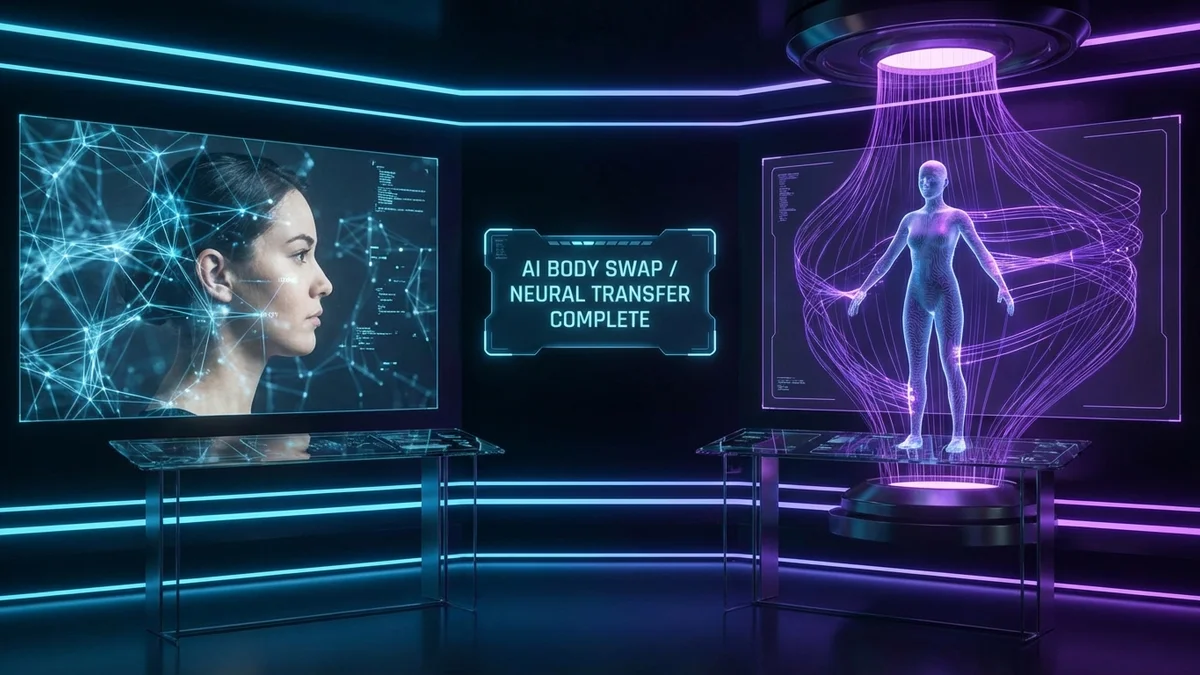

Finding the right fashion AI tool can transform how you design, shop, and style outfits. Whether you are a designer prototyping collections, a brand shooting product photos, or a shopper wanting to see how clothes look before buying, AI-powered fashion tools now handle tasks that once required studios, models, and weeks of work.
The AI fashion market reached $2.89 billion in 2025 and is growing at 39.8% annually. By early 2026, over 48% of global fashion brands had integrated machine learning into their workflows. These numbers tell a clear story: fashion AI tools are no longer optional for anyone serious about fashion.
This guide covers the best fashion AI tools available today, explains how each category works, and helps you pick the right one for your needs.
At a Glance
Fashion AI tools use artificial intelligence to automate design, styling, virtual try-on, trend forecasting, and product photography. The market is valued at nearly $3 billion and growing fast. Top tools include CheckMyFit for virtual try-on, CLO 3D for design, Heuritech for trends, and PhotoRoom for product shots. Most offer free tiers or trials.
What Is a Fashion AI Tool?
A fashion AI tool is software powered by artificial intelligence that helps users create, visualize, or interact with fashion in ways that were impossible just a few years ago. These tools use machine learning, computer vision, and generative AI to perform tasks like designing garments from text prompts, simulating how clothes fit on different body types, and predicting upcoming trends.
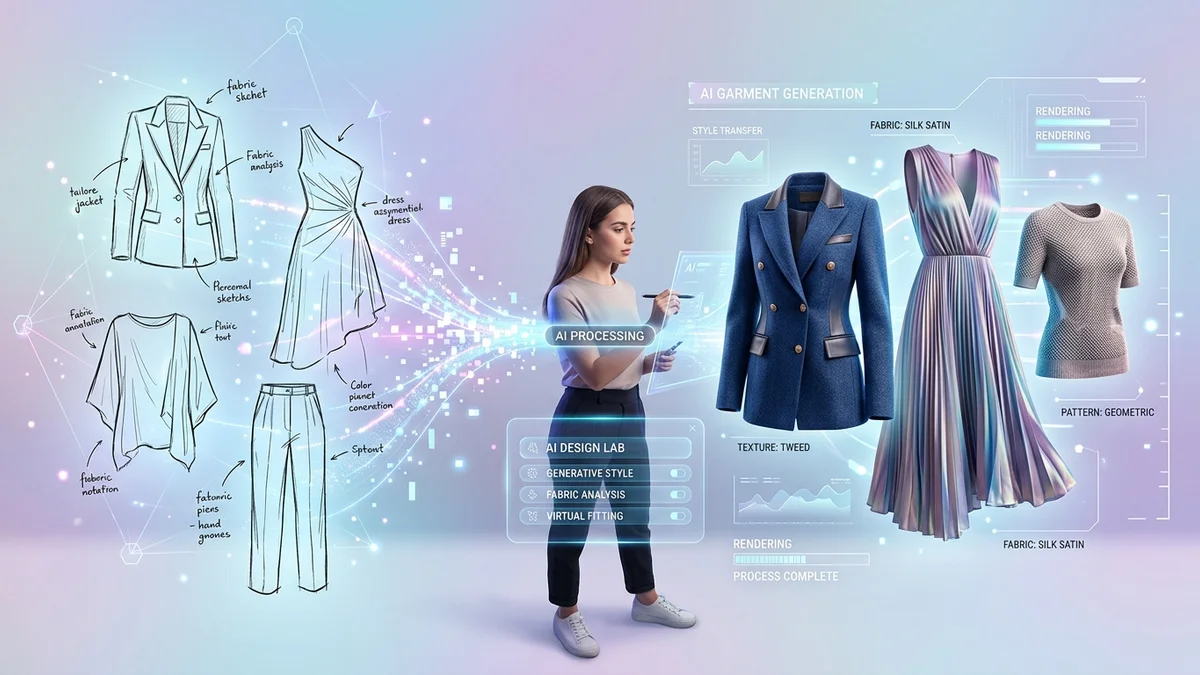
The technology behind these tools draws from several AI disciplines. Computer vision analyzes images of clothing, body shapes, and poses. Natural language processing interprets design descriptions and style preferences. Generative adversarial networks (GANs) and diffusion models create photorealistic images of clothes on people.
Key Takeaway: A fashion AI tool replaces manual, time-intensive fashion tasks with automated, AI-driven workflows that deliver results in seconds instead of days.
What Are the Main Types of Fashion AI Tools?
Fashion AI tools fall into six distinct categories, each addressing a specific industry need. Understanding these categories helps you choose the right tool for your situation.
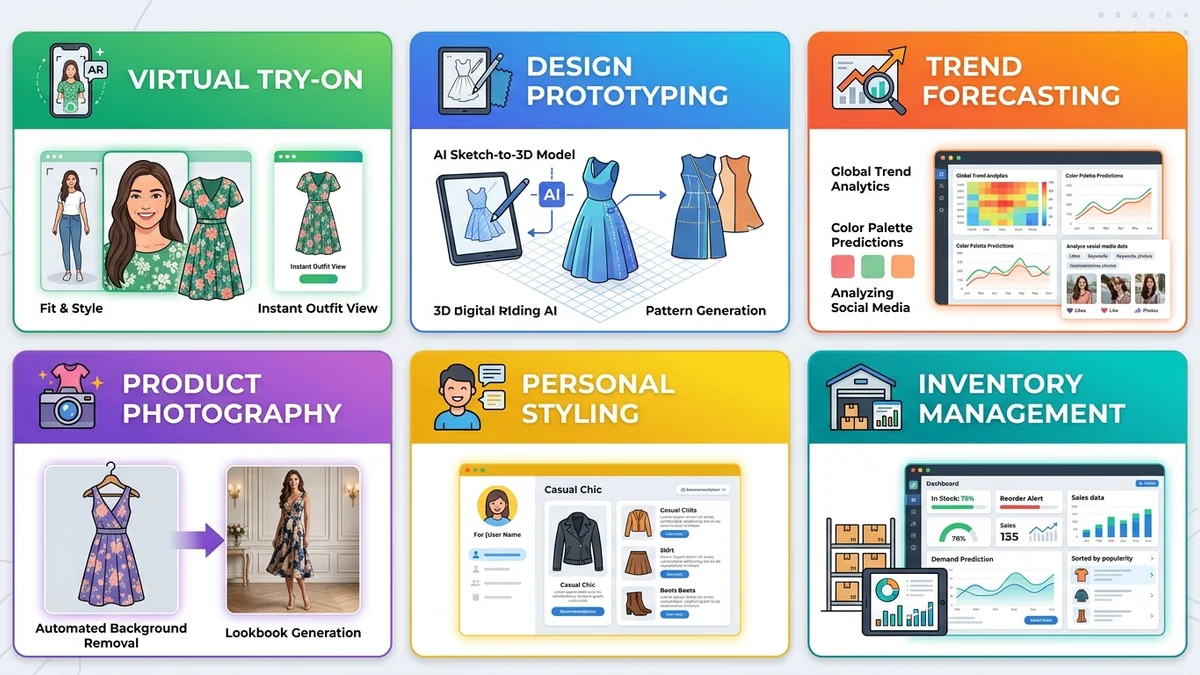
| Category | What It Does | Best For | Example Tools |
|---|---|---|---|
| Virtual Try-On | Shows clothes on your photo | Shoppers, brands | CheckMyFit, FitRoom, WeShop |
| Design & Prototyping | Creates designs from sketches/text | Designers, brands | CLO 3D, The New Black, Refabric |
| Trend Forecasting | Predicts upcoming fashion trends | Brands, buyers | Heuritech, WGSN, Style3D |
| Product Photography | Generates studio-quality shots | E-commerce, brands | PhotoRoom, ZMO.ai, NewArc |
| Personal Styling | Recommends outfits and styles | Consumers | BeSpoke, DRESSX Agent |
| Inventory Management | Optimizes stock and supply chain | Retailers | ApparelMagic, Intelistyle |
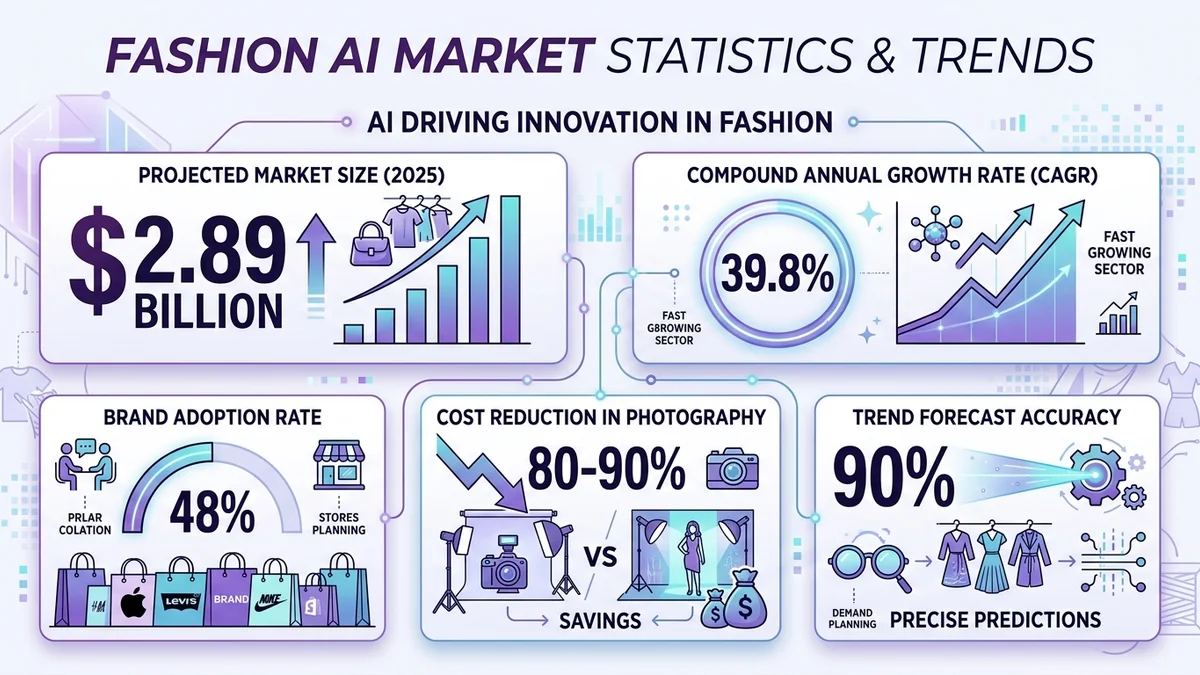
48% of global fashion brands integrated AI tools by early 2026, up from just 15% in 2023.
Virtual Try-On Tools
Virtual try-on is the fastest-growing category. These tools let you upload a photo and see how any garment looks on your body. CheckMyFit leads this category with its intuitive interface and realistic rendering. You simply upload your photo, select a clothing item, and get a photorealistic preview within seconds.
The technology behind virtual try-on uses body pose estimation, garment warping, and image synthesis to create realistic results. Modern tools achieve accuracy rates above 90% for fit visualization.
Design and Prototyping Tools
Tools like CLO 3D and The New Black let designers input sketches, text descriptions, or reference images and receive polished design concepts. CLO 3D is the industry standard for 3D garment simulation, while The New Black specializes in rapid concept generation from text prompts.
Refabric combines design generation with digital pattern creation, producing both visual concepts and production-ready patterns simultaneously.
Trend Forecasting Tools
Heuritech and WGSN use AI to analyze millions of social media images, e-commerce data, and runway shows to identify emerging trends months before they hit mainstream. By early 2026, AI-driven trend forecasting achieved over 90% accuracy, compared to traditional methods that often miss emerging micro-trends.
Product Photography Tools
Traditional product photography costs $1,000 to $10,000 per shoot. AI tools like PhotoRoom and ZMO.ai compress this to minutes and dollars. Brands report 80-90% reductions in visual content costs while maintaining professional quality.
Key Takeaway: Each category solves a specific problem. Most fashion professionals use tools from 2-3 categories depending on their role.
How Do Fashion AI Tools Actually Work?
Fashion AI tools combine several technologies to deliver their results. The core process involves three stages: input analysis, AI processing, and output generation.
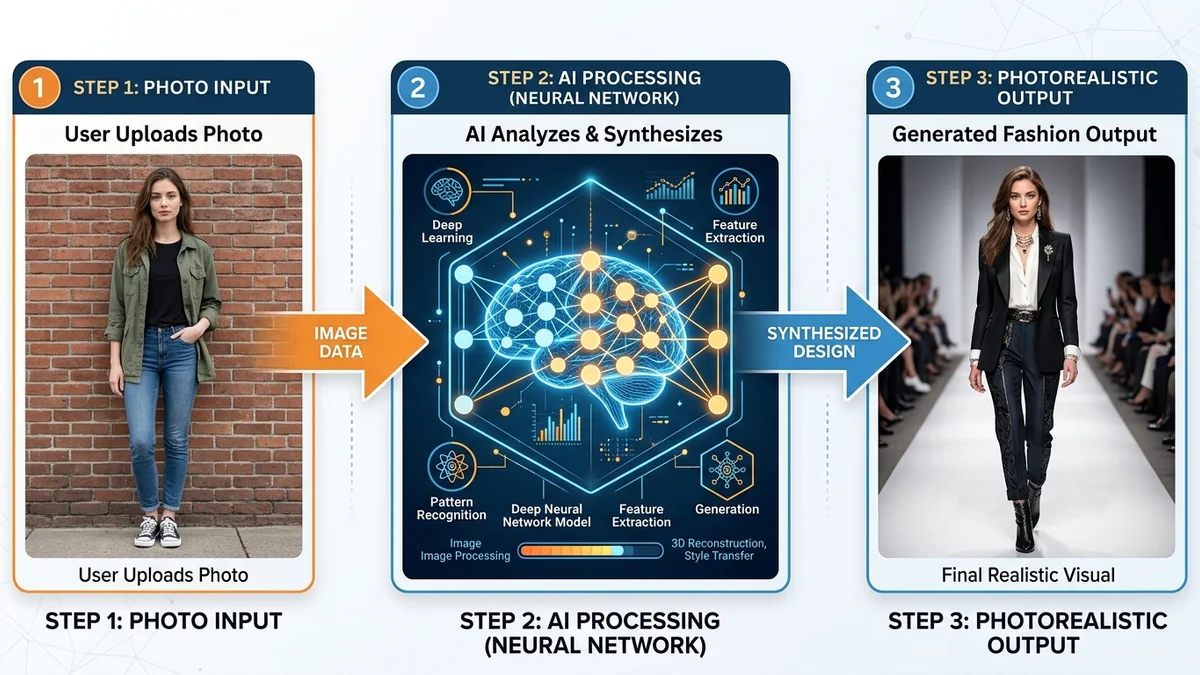
- Input Stage: You provide an image (photo, sketch, flat lay), text description, or both. The AI analyzes body shape, garment type, fabric texture, and style elements.
- Processing Stage: Machine learning models process the input. For virtual try-on, this means body segmentation, pose estimation, and garment warping. For design, generative models create new visual concepts.
- Output Stage: The tool generates a photorealistic result. Modern tools deliver outputs in 10-90 seconds depending on complexity.
| Technology | Role in Fashion AI | Speed |
|---|---|---|
| Computer Vision | Analyzes images of bodies and clothes | Real-time |
| GANs/Diffusion Models | Generates photorealistic images | 10-60 seconds |
| NLP | Interprets text descriptions | Instant |
| 3D Simulation | Models fabric physics and draping | 1-5 minutes |
| Pose Estimation | Maps body position and shape | Real-time |
Modern AI rendering dropped from 5 minutes per outfit in 2025 to under 90 seconds in 2026.
Key Takeaway: Fashion AI tools combine computer vision, generative models, and 3D simulation to turn simple inputs into professional-quality fashion outputs.
How to Choose the Right Fashion AI Tool for Your Needs
Selecting the right fashion AI tool depends on your role, budget, and specific goals. Here is a decision framework that works for every user type.
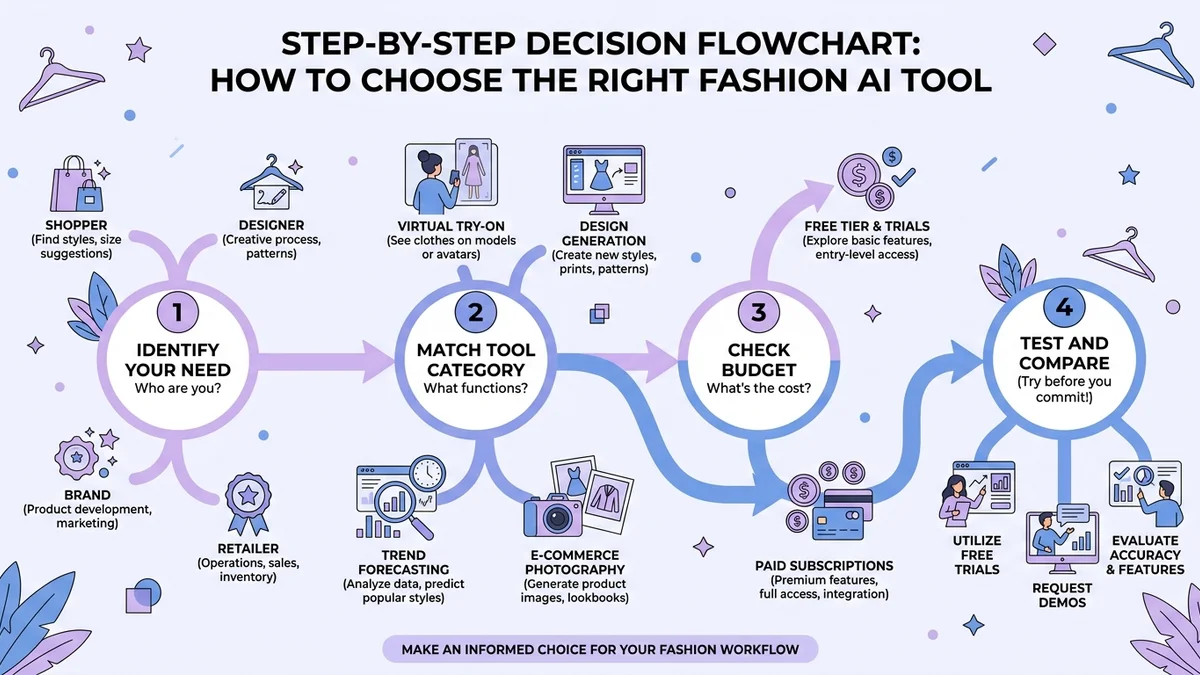
By User Type
| User Type | Primary Need | Recommended Tools | Budget Range |
|---|---|---|---|
| Individual Shopper | Virtual try-on, styling | CheckMyFit, BeSpoke | Free - $10/mo |
| Independent Designer | Design generation, prototyping | The New Black, Refabric | $20-50/mo |
| Small Brand | Product photography, try-on | PhotoRoom, WearView | $30-100/mo |
| Large Retailer | Full suite: trends, inventory, CX | Heuritech, WGSN, CLO 3D | $500+/mo |
Key Questions to Ask Before Choosing
- What problem am I solving? Match the tool category to your specific pain point.
- What is my budget? Many tools offer free tiers. Start there before upgrading.
- Do I need integration? If you run an e-commerce store, check API availability and Shopify/WooCommerce compatibility.
- How important is accuracy? For virtual try-on, test with your own photos before committing.
Free vs. Paid Tools
Most fashion AI tools offer free tiers with limited features. The free tier usually provides enough for casual users and testing. Paid plans unlock higher resolution, faster processing, batch operations, and API access.
Key Takeaway: Start with a free tool that matches your primary need. Upgrade only when you hit the limits of the free tier.
Top 12 Fashion AI Tools Compared (2026)
Here is a detailed comparison of the most popular fashion AI tools available right now.
| Rank | Tool | Category | Free Tier | Starting Price | Best Feature |
|---|---|---|---|---|---|
| 1 | CheckMyFit | Virtual Try-On | Yes | Free | Realistic body-accurate try-on |
| 2 | CLO 3D | 3D Design | Trial | $50/mo | Industry-standard garment sim |
| 3 | The New Black | AI Design | Yes | $18/mo | Text-to-design generation |
| 4 | Heuritech | Trend Forecasting | Demo | Custom | Social media trend analysis |
| 5 | PhotoRoom | Product Photography | Yes | $10/mo | Background removal and staging |
| 6 | Refabric | Design + Patterns | Trial | $30/mo | Sketch-to-pattern pipeline |
| 7 | WearView | Virtual Try-On | Trial | $15/mo | 6 tools in one platform |
| 8 | ZMO.ai | AI Photography | Yes | $15/mo | Virtual model generation |
| 9 | WGSN | Trend Forecasting | No | Custom | Comprehensive trend data |
| 10 | BeSpoke AI Stylist | Personal Styling | Yes | $5/mo | Wardrobe organization |
| 11 | DRESSX Agent | AI Stylist | Yes | Free | Find and try-on shopping |
| 12 | Style3D | 3D Design | Trial | Custom | End-to-end fashion pipeline |
How CheckMyFit Stands Out
While many tools focus on brands and designers, CheckMyFit puts the power directly in shoppers' hands. Upload your photo, pick any clothing item, and see exactly how it looks on your body. No studio, no model, no guesswork. The virtual try-on technology reduces online shopping returns by up to 40% and eliminates the frustration of ordering clothes that do not fit or flatter.
62% of online shoppers say they would buy more clothes if they could see how items look on their body first.
Common Mistakes When Using Fashion AI Tools
Even the best fashion AI tools produce poor results when used incorrectly. Avoid these common pitfalls.
- Using low-quality input images. AI tools need clear, well-lit photos. Blurry or dark images produce unrealistic results.
- Expecting perfection on the first try. Generate 2-3 variations and pick the best one. AI is probabilistic, not deterministic.
- Ignoring body type accuracy. For virtual try-on, use a recent full-body photo taken at eye level for the most realistic results.
- Choosing the wrong tool category. A design tool will not help you try on clothes. Match the tool to your actual need.
- Skipping the free trial. Always test before paying. Every tool works slightly differently with different body types and clothing styles.
Key Takeaway: Quality inputs and correct tool selection are the two biggest factors that determine your results with fashion AI tools.
Recommended Products for Fashion AI Users
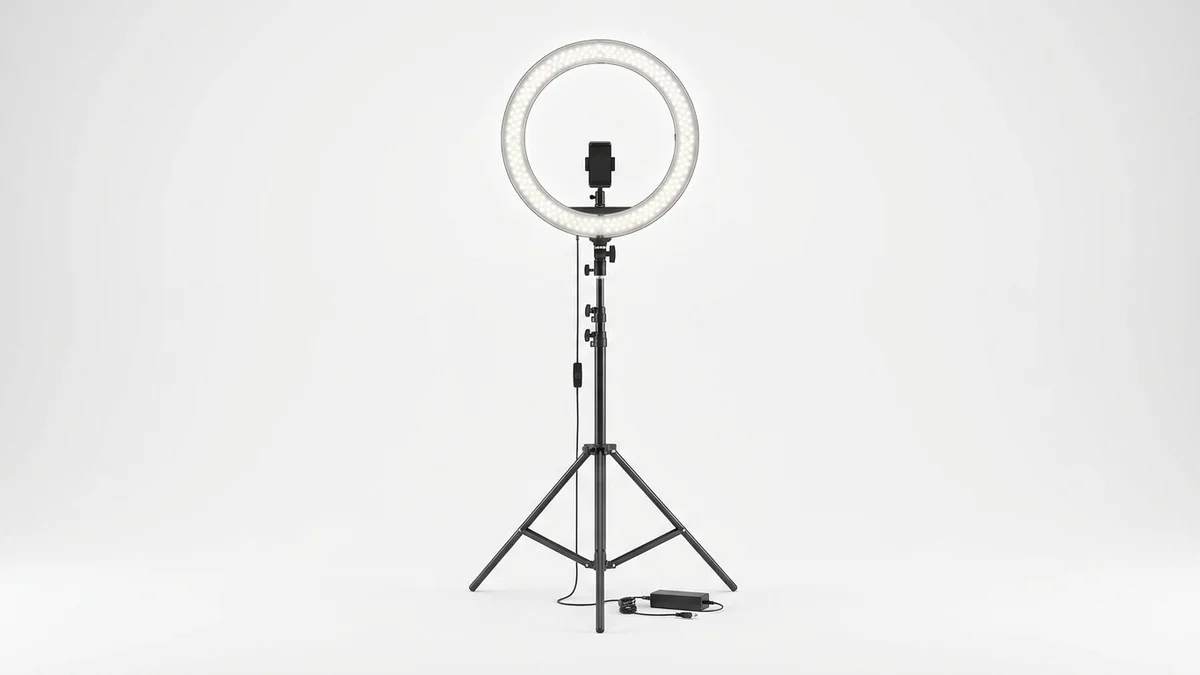
Professional lighting is essential for high-quality photos that AI tools can process accurately. This ring light delivers even, flattering illumination for virtual try-on selfies.
View on Amazon →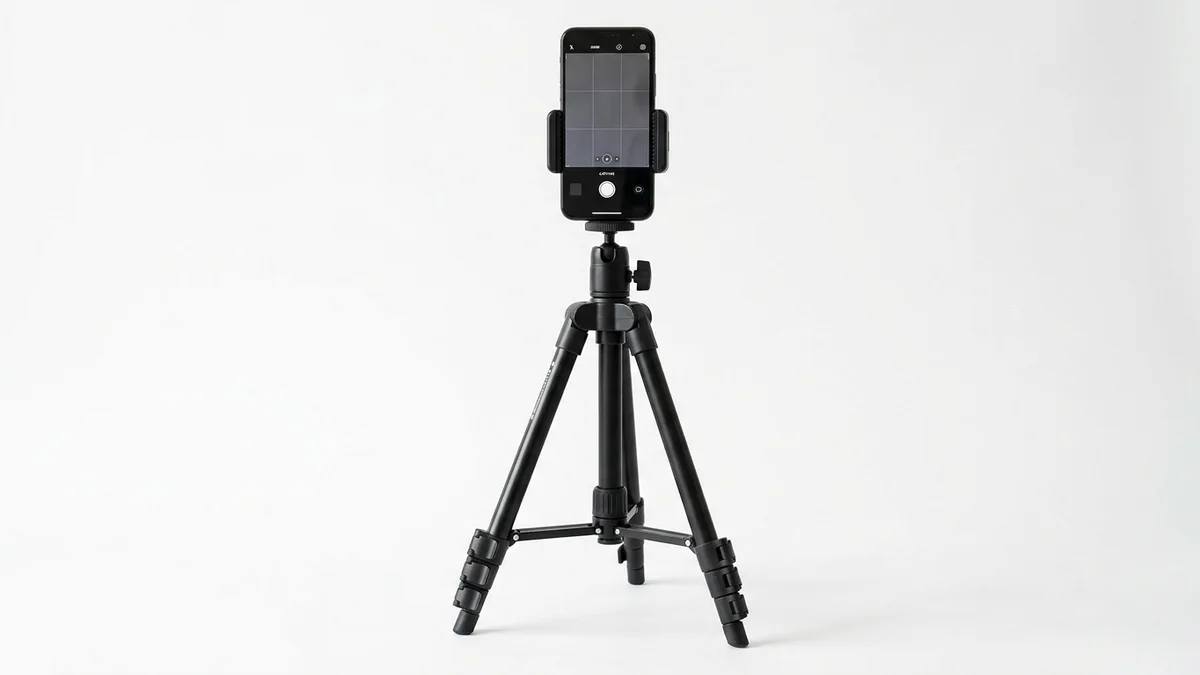
Steady full-body photos give AI tools the best input for virtual try-on. This adjustable tripod works with any smartphone and sets up in seconds.
View on Amazon →
A full-length mirror helps you pose correctly for AI try-on photos and compare AI results with your real outfit. This arch mirror adds style to any room.
View on Amazon →Frequently Asked Questions
What is the best fashion AI tool for beginners?
CheckMyFit is ideal for beginners who want to try on clothes virtually. It requires no technical knowledge. Simply upload your photo, select clothing, and see the result. For design beginners, The New Black offers an intuitive text-to-design interface with a generous free tier.
Are fashion AI tools free to use?
Most fashion AI tools offer free tiers or trials. CheckMyFit, PhotoRoom, The New Black, and BeSpoke all provide free access with limited features. Free tiers typically include lower resolution outputs and daily usage limits. Paid plans start from $5 to $50 per month depending on the tool.
How accurate are AI virtual try-on tools?
Modern AI virtual try-on tools achieve accuracy rates above 90% for fit visualization. Results depend heavily on input photo quality. Clear, well-lit, full-body photos produce the most realistic results. Accuracy has improved significantly since 2024, with major advances in fabric draping and body shape rendering.
Can fashion AI tools replace human designers?
Fashion AI tools augment designers rather than replace them. AI handles repetitive tasks like generating variations, creating mockups, and testing colorways. Human creativity, cultural understanding, and artistic vision remain essential for creating original, meaningful fashion. The best results come from designers who use AI as a collaborator.
What photos work best for virtual try-on AI?
Use a recent full-body photo taken at eye level against a plain background. Wear fitted clothing so the AI can accurately detect your body shape. Natural daylight or ring light provides the best illumination. Avoid mirrors, heavy shadows, and cropped images for optimal results.
How do fashion AI tools help reduce returns?
Virtual try-on technology lets shoppers see how clothes look on their actual body before purchasing. This reduces the guesswork that causes returns. Brands implementing virtual try-on report return rate reductions of 25-40%. The technology also helps shoppers feel more confident in their size selection.
Are AI-generated fashion images ethical?
AI fashion images raise important ethical considerations around consent, transparency, and labor displacement. Reputable tools like CheckMyFit prioritize user privacy and data protection. Best practice is to disclose when images are AI-generated, especially in marketing. The industry is developing standards for ethical AI fashion use.
What is the future of fashion AI tools?
Fashion AI tools are evolving toward real-time try-on in video, personalized AI stylists that learn your preferences over time, and seamless integration with e-commerce platforms. The market is projected to reach $9.45 billion by 2030. Expect voice-controlled styling, AR integration, and AI-designed custom-fit garments within the next 2-3 years.
Conclusion
Fashion AI tools have moved from experimental technology to essential industry infrastructure. Whether you need virtual try-on for smarter shopping, AI design for faster prototyping, or trend forecasting for strategic planning, there is a tool that fits your needs and budget.
The key is matching the right tool to your specific goal. Start with a free tier, test with your own content, and scale up as you see results. The fashion AI market will continue growing rapidly, and early adopters gain the biggest advantage.
Ready to see how clothes look on you before buying? Try CheckMyFit free today and experience the future of fashion shopping.